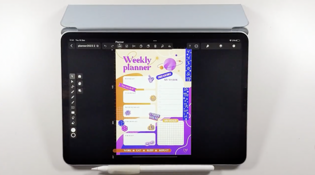
⚠️ Vectornator es ahora Linearity Curve. En el vídeo, se muestra la interfaz antigua de Vectornator.
What you’ll learn
Learn to design a customized weekly planner, covering document setup, layout grids, color palettes, and fonts.
Valor educativo
This tutorial offers valuable insights into graphic design and layout principles, providing viewers with a hands-on experience in creating a practical and visually appealing weekly planner.
You'll gain proficiency in using our design software tools, setting up grids for layout consistency, choosing harmonious color palettes, and enhancing typography for clear communication.
Furthermore, you'll develop illustration skills and learn how to incorporate engaging visuals into your designs. These skills can be applied to planner design and various graphic design projects, making this tutorial an excellent resource for anyone interested in improving their design abilities and organizational tools.
Maddy, our in-house illustrator will guide us in:
- how to set up a document ,
- design layout grids ,
- choose color palettes ,
- incorporate fonts ,
- add charming illustrations and stickers ,
- how to maintain a clear visual hierarchy .
By the end of this tutorial, you'll have a beautifully designed planner ready to help you stay organized and inspired throughout the year.
Publicado el:
Dinos qué es lo que más te ha gustado para ayudarnos a mejorar.
Pruébalo ahora. Convierte cualquier idea en un diseño.
Empieza gratis. Sin tarjeta de crédito. Ver precios