Audio Support now in Linearity Move
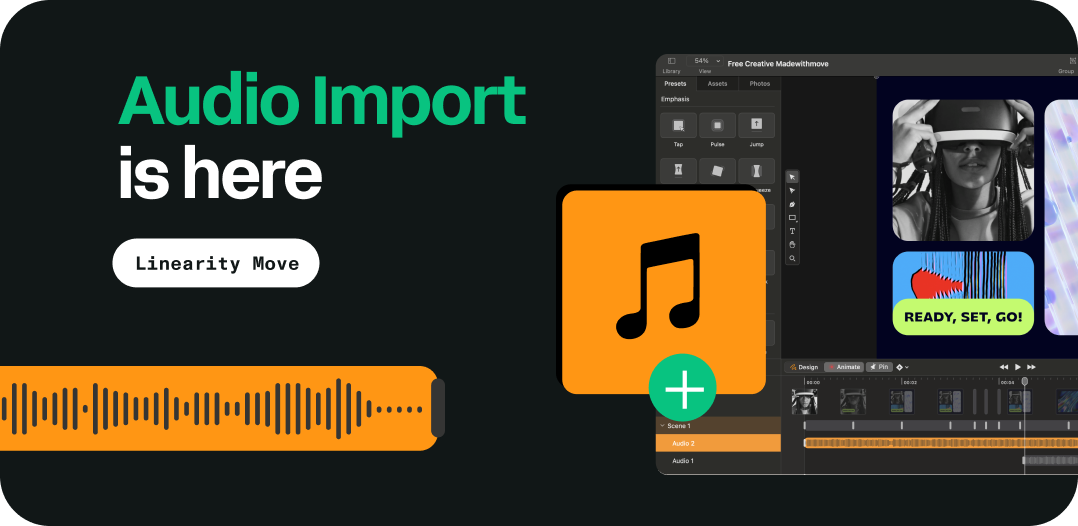
Full audio integration now available on your animation timeline. Easily add background music, sound effects, and voiceovers.
Linearity
Stay on top of all the newest product features launched and much more
Full audio integration now available on your animation timeline. Easily add background music, sound effects, and voiceovers.
2025
You can now select multiple artboards directly from the canvas or the Layers panel. Easily move, duplicate, resize, delete, or export multiple artboards at once.
Select CMYK color values directly in the color picker, making it easier to create print-ready designs. Define and preview bleeds directly within the PDF export settings.
2024
Claim up to 50% off on Linearity's Annual Pro Plan! Use Linearity Curve and Linearity Move's unlimited Pro Plan at the cost of just one Starbuck's Pumpkin Spice Latte per month!
Now, you can explore our library of over 4,000 professionally designed templates right inside Linearity Curve, offering endless inspiration without the hassle of downloading files.
Our new AI Grab features allows you to quickly separate a photo’s subject from the background with one tap, turning it into its own layer for easy repositioning and manipulation.
Now when you update your Linearity software, you'll find your own private Workspace. This highly-anticipated feature is your space for organizing your projects and inviting fellow designers to view and edit your files.
With Linearity Move 1.8.0, you can now import video files directly into your projects. This highly-requested feature empowers you to enhance your storytelling by adding real-world footage, bringing greater context, depth, and authenticity to your animations.
With the new Magic Eraser tool, you can easily remove any unwanted blemishes, objects, people, text, logos, and more from any photo instantly. And you don’t need to worry about filling in the empty space—our software will automatically interrupt the surrounding content and fill it automatically.
You can now define the aspect ratio and size of any AI-generated background. Simply position the selection box over an area of the photo, and adjust it to your desired dimensions. Then, either choose a background or generate your own.
Our Auto Trace feature just received a major upgrade with a more powerful algorithm that enhances existing modes and introduces new ones. You can now instantly turn raster images into vectors using four different presets: Sketch, Photo (new), Illustration (new), and Basic Shapes (new). Upgrade your Linearity Curve software to try them out!
Now, exporting your Figma assets to Linearity Move or Curve is easier than ever. We just launched our own Figma plugin, allowing you to seamlessly export and elevate your Figma frames and layers with our design and animation tools.
Pivot points in Linearity Move are now adjustable, granting you precise control over the rotation and scaling of objects. With this feature, you can tailor the movement of objects exactly to your specifications, ensuring smoother animations and eliminating any unexpected outcomes.
You can now export your Linearity Move animations as GIFS, allowing your content to seamlessly autoplay in a loop wherever you choose. Plus, we've introduced two new animation presets for "Wipe" and "Flipbook" effects, alongside a convenient image crop feature for effortless customization.
Precision Designing just got better. Guides Enhancements: Enjoy real-time labels for guides, adherence to rounded numbers for easy alignment, and smart adjustments based on the document's measurement unit for seamless design tweaks. Line Height Control: Experience greater control over text layout with the ability to set line heights below the default value and fine-tune them in points or percentages.We fixed bugs to ensure a smoother user experience.
New Features for Streamlined Animation Line Height Control & Smart Guides: Just like in Curve, get more control over your text and effortless alignment with smart guides. Quick Actions Bar: Access essential operations quickly with the new content-aware Quick Actions Bar. Keyframe Replacement: Merge keyframes simply by dragging and dropping for efficient animation editing. SVG Import: Easily drag and drop SVG files directly into the Move import screen. Enhanced Export Capabilities: Export videos with transparent backgrounds, choose your video codec, and enjoy an updated export screen UI for a smoother experience. We fixed bugs to ensure a smoother user experience.
Now, you have the option to export your motion graphics without a background. This enhances their visual appeal and simplifies integration into various projects without the need to match backgrounds. Whether you're designing elements for a video, website, or social media content, your animations seamlessly integrate without any awkward contrasts. This flexibility not only streamlines your workflow but also guarantees a professional look across platforms.
We just launched our new Linearity subscription plans: Linearity Starter (Free) for hobbyists, Linearity Pro for regular users, and Linearity Org for organizations. Each plan offers access to Linearity Curve and Linearity Move, streamlining the design-to-animation process. These pricing options signify a giant leap forward in our mission for sustainable growth and constant innovation. Get ready for custom fonts, CMYK support, and a game-changing background replacement feature.
Introducing the eagerly awaited loop playback feature! With Linearity Move, your animations now seamlessly restart upon reaching the end, allowing for uninterrupted looped playback until you decide to stop.
Artboards now come with handy smart guides that snap to elements, helping you to keep everything perfectly aligned. Plus, our guides are now super informative—they show their values as you move them around, helping you nail down that perfect placement every time.
Meet Linearity Move, our revolutionary animation tool that effortlessly transforms static designs into dynamic motion. Designed for all skill levels, it empowers you bring your illustrations, brand assets, graphic icons, and more to life with just a few clicks.
2023
We're bringing you unparalleled convenience and peace of mind with Linearity Cloud—a safe and secure file storage solution that allows you to seamlessly sync your files seamlessly across devices and access them anytime, online or offline. Plus, we've introduced several workflow enhancements, such as effortless image replacement via drag-and-drop, an improved selection experience, and the option to export individual objects directly from your canvas.
Our website is now available in Spanish, featuring translated educational content, use case pages, FAQs, and a convenient language switcher for seamless navigation. Our vision for Linearity Spanish includes a growing library of tutorial videos, a fully-translated User Guide, and a vibrant community for Spanish-speaking users to connect, share insights, and learn together.
With 5.1.0, we honed the Background Removal Tool's precision and detailing capabilities, ensuring that every photo cut-out has unmatched sharpness and definition. Plus, we made a ton of improvements to Artboards, selection behavior, and more.
Introducing Linearity Curve 5.0.0! Formerly known as Vectornator, our software has undergone a bold transformation. We’re bringing you a fresh name and a vibrant new look that perfectly captures our future focus. Get ready for an enhanced user experience and stay tuned for exciting new capabilities coming soon.
Stuck staring at a blank canvas? With templates, you can jumpstart your ideas and bring them to life in no time. Our new Templates Hub is packed with hundreds of customizable designs for social media, online ads, brand assets, and more.
With the 4.13.6 update, you can conveniently view documents within tabs instead of separate windows on Mac. We also added advanced export options, CYMK file export, and a lock alignment feature for Artboards.
Our developers aren’t only working on shiny new tools and interface upgrades—they’re also coming up with ways of improving existing features. Enjoy improved rotation functionality, Artboard colors, multi-coled text, and more.
The time-saving Background Removal Tool is perfect for when you want to integrate photographic elements into your designs. It allows you to quickly isolate the main subject from a photo, making it convenient to use as a design component.
2022
In a bid to compliment the changes in Apple’s iOS/iPadOS 16, we created a sleek and customizable iPad experience that feels similar to working on a desktop app. Plus, we streamlined the Inspector so that you can access all the options you need easily.
With this update, you can customize the Action Bar so that everything you need is quickly and easily accessible. Simply drag to add or remove items, such as Guides, Rulers, and Copy Style / Paste Style.
With the 4.10.0 update, you can explore the endless possibilities of Shape Builder, a powerful tool that allows you to create complex shapes by combining or subtracting multiple shapes into one.
No need to spend hours tracing over lines and shapes with the Pen Tool. You can now import any illustration from raster-based programs like Procreate into Linearity Curve, hit Auto Trace, and watch the magic happen.
With 4.8.0, you can enjoy fully editable groups and even infinite groups within groups. These groups and nested groups are like folders that sit neatly in the updated Layers Tab. They can be extended to reveal every element inside them.
Now you can create as many color palettes as you want and handle them effortlessly using the Color Panel. It's a breeze to edit your saved palettes by adding different colors and gradients, or simply removing them with just one tap.
Do you sketch your ideas on paper before integrating them into your artwork? With our new Auto Trace mode for sketches, your imported drawings will be converted into vector shapes instantly.